 APK
- RequiresAndroid 5.0+
- Version—
- UpdatedNov 23, 2026
- PriceFree
Create chaotic battles in TABS Pocket Edition for Android. Command wobbling armies, experiment in Sandbox mode, design custom units, and challenge other players.
Download TABS Pocket Edition MOD APK Android
1 file · 937.5 MB · Free
About TABS Pocket Edition MOD APK Android
TABS Pocket Edition MOD APK Android
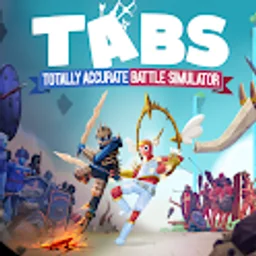
TABS Pocket Edition brings the unpredictable battles of Totally Accurate Battle Simulator to Android. Arrange your fighters, start the simulation, and watch your carefully planned army turn into a chaotic clash of wobbling characters.
The fun comes from experimenting. An unusual formation or an unexpected unit combination can produce a surprising victory—or a spectacular defeat.
What Is TABS Pocket Edition?
TABS Pocket Edition is the official mobile version of Totally Accurate Battle Simulator, listed on Google Play by Landfall Games.
It combines tactical army placement with exaggerated physics. You can tackle campaigns, create battles in Sandbox mode, and experiment with a large collection of unusual fighters.
Game Features
- Physics-Based Battles: Watch units stumble, collide, and fight in unpredictable ways.
- Campaign Challenges: Test different armies against prepared encounters.
- Sandbox Mode: Set up your own battles and explore unusual matchups.
- Over 100 Units: Experiment with fighters drawn from different themes.
- Unit Possession: Take direct control of a fighter during battle.
- Unit Creator: Design custom characters for your scenarios.
- Online Multiplayer: Challenge friends or other players.
- Mobile Cross-Play: Play multiplayer across Android and iOS.
MOD APK Features
No specific MOD features have been independently verified for the APK referenced by this title.
Claims such as unlimited campaign budgets, unlocked content, invincible units, or increased damage depend on the particular modified release and should not be presented as confirmed.
Note: Modified APKs are not official Landfall releases. The official game already includes a Unit Creator, and creating custom units is different from installing a modified application.
Gameplay Experience
Start by watching how your units behave instead of assuming that a larger army will always win. Placement, spacing, and the interaction between different fighters can change the result.
If a formation fails, adjust one element and try again. Moving a vulnerable unit behind the frontline or spreading your army out can help you understand what went wrong.
Sandbox mode is also a place to forget about efficiency and simply experiment. Create an unlikely matchup, observe the result, and use it as inspiration for another battle.
Why Play TABS Pocket Edition?
TABS Pocket Edition suits players who enjoy tactical experiments and games with a strong sense of humor.
Campaigns give your experiments a goal, while Sandbox and the Unit Creator let you explore your own ideas. The appeal lies as much in watching a plan collapse as in finding a clever solution.
Android Information
- Game: TABS Pocket Edition
- Full Series Name: Totally Accurate Battle Simulator
- Google Play Publisher: Landfall Games
- Genre: Strategy, Simulation
- Package Name: com.xd.tabs.google
- Platform: Android
- Modes: Campaigns, Sandbox, and Online Multiplayer
- Pricing Model: Paid download without in-app purchases
Frequently Asked Questions
Is TABS Pocket Edition available for Android?
Yes. The official mobile version is available through Google Play, subject to device and regional availability.
Can I create my own units?
Yes. The Unit Creator lets you design custom fighters.
Can I directly control a unit?
Yes. Unit Possession allows direct control during battles.
Does multiplayer work between Android and iOS?
Yes. Mobile cross-platform multiplayer is supported.
Does the official game include in-app purchases?
No. Landfall describes it as a paid download without in-app purchases.
Will very large battles run smoothly on every phone?
No. Performance depends on your hardware, graphics settings, and the number of units in battle.
Is the MOD APK an official release?
No. Modified APKs are separate from the official TABS Pocket Edition application.
How to Install TABS Pocket Edition MOD APK Android APK
- Download the fileTap the Download button above and wait for the TABS Pocket Edition MOD APK Android file to finish downloading.
- Allow unknown appsOpen Settings → Security (or “Install unknown apps”) and allow your browser or file manager.
- InstallOpen the downloaded file from notifications or the Downloads folder and tap Install.
- Copy OBB (if needed)If the game includes an OBB/data folder, move it to
Android/obb/before launching. - EnjoyOpen TABS Pocket Edition MOD APK Android and have fun!
FAQ
How to download TABS Pocket Edition MOD APK Android APK?
Click the Download button on this page, wait a few seconds on the download page and the TABS Pocket Edition MOD APK Android APK file will start downloading automatically.
Is TABS Pocket Edition MOD APK Android APK safe to install?
Every file on DroidStash is checked before publishing. Always install APK files only from trusted sources and keep Google Play Protect enabled.
What Android version does TABS Pocket Edition MOD APK Android need?
TABS Pocket Edition MOD APK Android requires Android 5.0 or higher.
Rate TABS Pocket Edition MOD APK Android
Be the first to rate!